 ShotPad
ShotPad
ShotPad
Capture the visible area, a region or the full page. Draw arrows, boxes, text, blur the private bits, drop in emoji. Export PNG, JPG, PDF or copy to clipboard. No account. No cloud. No tracking.
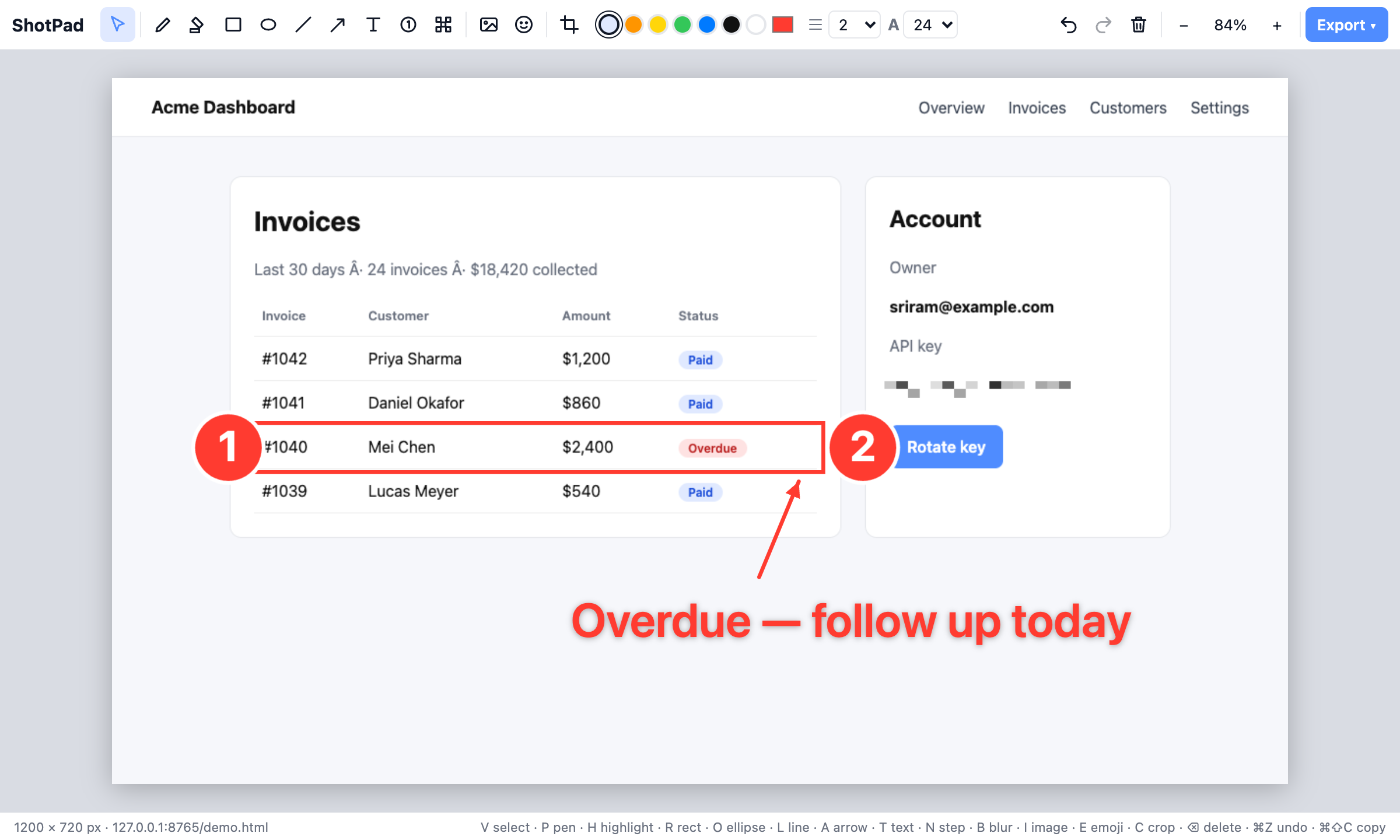
Visible area, drag-to-select region, or full page with sticky headers handled properly.
Pen, highlighter, rectangle, ellipse, line, arrow, text, numbered steps, emoji, images, crop.
Pixelate names, emails, tokens before you share. Done locally, never uploaded.
PNG, JPG, PDF or straight to clipboard. Retina-resolution output.
No servers, no sign-in, no analytics. The extension asks for the minimum permissions Chrome allows.
One-key tool switching, undo/redo, zoom. ⌘⇧S to capture.
$0
$19 one-time
Secure checkout by Dodo Payments. Licence key by email. 14-day refund, no questions.
No. Capture, editing and export all happen inside your browser. The only network request the extension ever makes is to verify your Pro licence key with Dodo Payments.
After purchase you get a licence key by email. Open ShotPad settings (right-click the icon → Options), paste the key, click Activate.
Yes, up to 3 active browsers. Deactivate from settings to free a slot.
Your licence never expires. You receive all updates released within 12 months of purchase; after that you can keep using that version forever or renew at a discount.
activeTab (capture the tab you click on), scripting (region picker overlay), storage (settings), downloads (save files) and access to dodopayments.com for licence checks. No access to your browsing history or other sites.
14 days, no questions asked. Email support@aovo.app.